

Knowledge & Thinking · March 2026 · 8 min read
- The Invisible Problem With Every Notes App You've Ever Used
- How the Brain Actually Connects Ideas (And Why Folders Fight It)
- The Folder Illusion: Why Organising by Category Hides Your Best Thinking
- What a Knowledge Graph Actually Shows You
- Two Types of Knowledge Your Notes App Treats Identically
- How Wisen Builds Your Knowledge Map Automatically
Nobody talks about this when they review note-taking apps. The individual note is almost never where the value is. Instead, the value is in what one note has to do with another — and another after that.
Think about the idea from your biology reading that quietly explains a pattern you noticed in a business book. Or the concept from a podcast you saved six months ago that turns out to be exactly the frame you needed for a problem today.
That connection exists. In fact, it is sitting in your notes right now. But your app will never show it to you, because apps don’t look for connections. They look for folders.
The Invisible Problem With Every Notes App You’ve Ever Used
Every note-taking tool makes the same promise: capture now, find later. It is a reasonable promise. Tools like Notion, Obsidian, and Apple Notes deliver on it well.
Search works. Organisation works. Your notes are findable — but only when you already know what you are looking for.
That last part is the problem. The most valuable insight you have ever captured is probably not the one you would think to search for. It is the one whose relevance you don’t yet know. It is the note whose connection to something else hasn’t been made yet.
“Creativity is just connecting things. When you ask creative people how they did something, they feel a little guilty because they didn’t really do it — they just saw something.” — Steve Jobs
Jobs was describing what cognitive scientists call associative thinking — the brain’s ability to notice similarities across completely different domains. It is, in fact, how most breakthroughs happen. And it is almost entirely suppressed by the way we organise digital notes today.
How the Brain Actually Connects Ideas (And Why Folders Fight It)
The human brain does not store information like a filing cabinet. Instead, it stores everything as a web of associations. Each concept links to dozens of others by meaning, context, emotion, and timing.
When you recall something, you don’t retrieve a file. You activate a node, and everything connected to it lights up alongside it. This is why a smell brings back a memory from twenty years ago, or why hearing a song reconnects you to an entire period of your life.
Research on associative memory and neural connectivity shows something important. The more connections a piece of information has, the more durable it becomes in long-term memory. As a result, isolated facts get forgotten. Networked ideas stick.
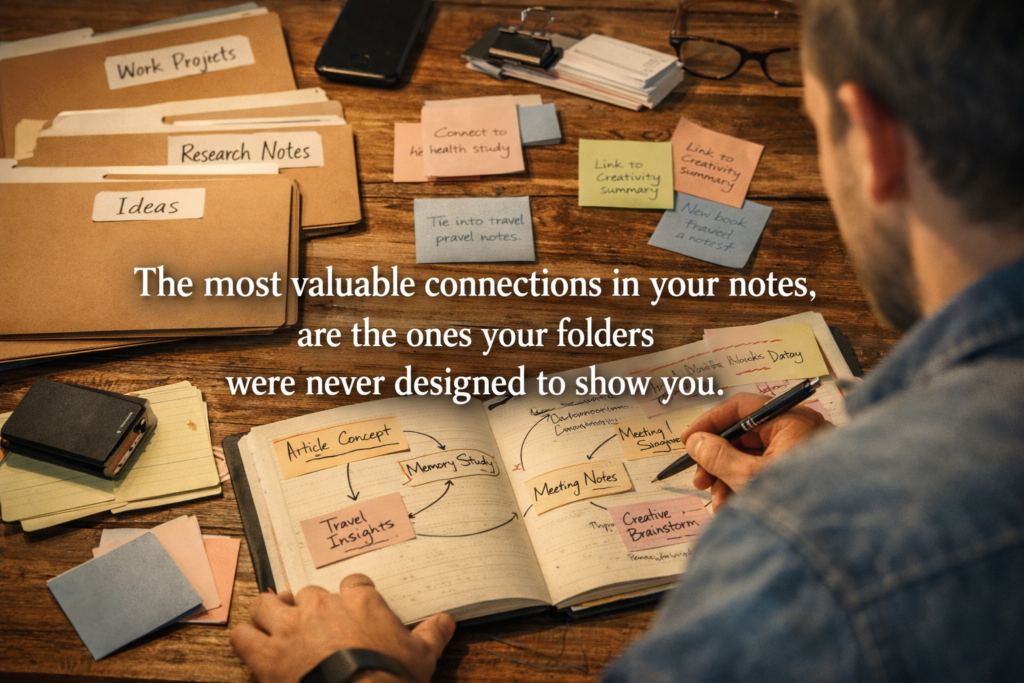
When you put a note in a folder called “Work” and another in a folder called “Books,” you sever any possible connection between them before finding out if one exists. In other words, the folder decides the shape of your knowledge before your knowledge has had a chance to reveal its own shape.
The Folder Illusion: Why Organising by Category Hides Your Best Thinking
Folders feel productive. You create one, name it something sensible, and experience a brief surge of tidiness. However, a folder organises by source — where information came from — rather than by meaning — what it is actually about.
A note from a psychology lecture and a note from a product design book might sit in completely different folders. But they might be making the exact same point about how people make decisions under pressure. The folder system will never show you that. In fact, it actively hides the connection by placing both notes in separate containers.
What You Lose When Knowledge Lives in Silos
The cost of siloed knowledge compounds over time. The more notes you accumulate, the more invisible connections pile up. Consequently, the less likely you are to find any of them by chance.
After a year of serious note-taking, the probability of finding a relevant cross-domain connection by browsing is close to zero. Moreover, manually linking notes across folders is time-consuming enough that most people simply never do it.
| What folder-based apps give you | What a knowledge graph gives you |
|---|---|
| Notes sorted by where they came from | Notes sorted by what they mean and how they relate |
| Finding information you already know you have | Discovering connections you didn’t know existed |
| A static archive that grows harder to navigate over time | A living map that gets more useful the more you add |
| Isolation between subjects, sources, and time periods | Bridges between ideas across different domains |
| You decide what connects — manually, upfront | The system detects semantic links across your whole library |
| Works fine until you have more than ~50 notes | Scales with your thinking, not against it |
This is not an argument against folders. Folders are useful for navigation. Rather, it is an argument against folders being the only way your notes relate to each other — which is exactly where every standard app leaves you.
What a Knowledge Graph Actually Shows You
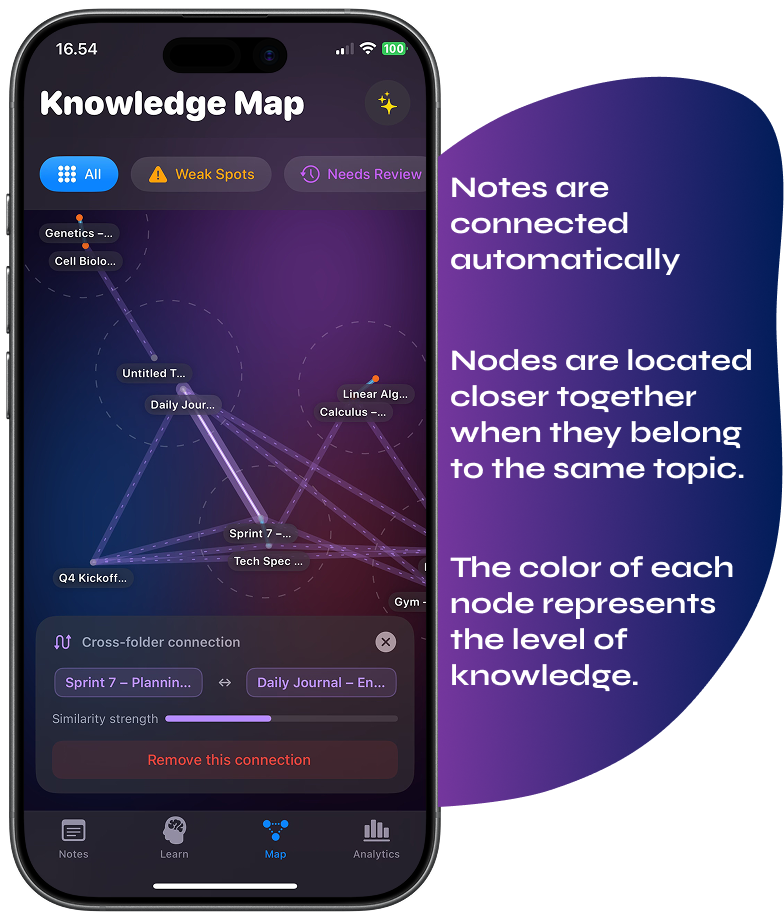
A knowledge graph treats each note as a node and draws connections based on meaning — not location, date, or tag. The result is a map of how your ideas actually relate to one another.
Not how you decided to organise them on the day you created the folder. But how they connect at the level of content and concept, right now.
What this surfaces is often surprising. Notes you thought were unrelated turn out to be making similar arguments. A concept you learned in one context reappears in three others. Furthermore, a recurring idea you weren’t consciously tracking shows up as a dense cluster at the centre of your map.
Knowledge graphs have been used in research, intelligence analysis, and drug discovery for years. They are used specifically because they surface non-obvious relationships in large bodies of information. The same logic, however, applies equally well to personal knowledge.
“The map you didn’t know you were drawing turns out to be more interesting than any of the individual notes.”
Two Types of Knowledge Your Notes App Treats Identically
Here is a distinction that almost nobody makes — but one that changes everything about how a knowledge system should work. Not all information you capture needs to be studied. Some of it does. Most of it, however, doesn’t.
First, there is knowledge you need to master. This includes definitions, frameworks, principles, and technical skills. For this, active study works well: spaced repetition, practice questions, and retrieval practice.
Second, there is knowledge you simply need to remember exists. A reference, an idea, a quote that reframes something. You don’t need to recite it from memory. You just need it to surface when it becomes relevant. For that, drilling is overkill. What you need instead is a well-timed reminder.
| Type of knowledge | What you need from your system | What most apps offer |
|---|---|---|
| Concepts to master (vocabulary, formulas, frameworks) | Active recall, spaced repetition, weak-spot tracking | Nothing — store only |
| Ideas to remember (references, insights, half-formed thoughts) | Intelligent resurfacing at the right time | Nothing — unless you search for it |
| Connections between notes | Automatic detection across your whole library | Manual linking at best |
Standard note-taking apps treat both types of knowledge exactly the same way: store them and hope you come back. Wisen, on the other hand, is built on the premise that they need different handling — and that your system should know the difference automatically.
How Wisen Builds Your Knowledge Map Automatically
Wisen is a learning system for iOS. It is not a standard notes app, and the difference is not cosmetic. It reflects a different premise about what notes are actually for.
Wisen’s knowledge graph uses on-device semantic analysis to detect real conceptual relationships across your library. Rather than matching keywords, it compares the meaning of your note content using language embeddings. Furthermore, it runs automatically in the background. You write notes normally. The map builds itself.
The result is a visual, interactive constellation of your ideas. Clusters form around shared topics. Bridge nodes — notes that connect ideas from different areas of your thinking — are identified and highlighted, because those are often where your most original insights live.
Everything Becomes a Note. Every Note Becomes Part of the Map.
The system handles every format you might work with. You are not limited to typed text. Wisen converts all of the following into structured, searchable notes that feed directly into both the knowledge graph and the learning system:
- Voice recordings — transcribed in real time with speaker separation, then parsed into content blocks automatically
- Scanned handwriting, whiteboards, and printed documents — OCR with error correction turns physical notes into editable digital ones instantly
- PDFs and images — imported, text-extracted, and structured into the same block format as everything else
- Typed notes with rich structure — text blocks, vocabulary pairs, tables, to-do items, drawings, and photos all within a single note
- Freehand drawings and sketches — created directly in the app with finger or Apple Pencil, stored as part of any note
Every piece of content — regardless of how it arrived — becomes part of the same map. The knowledge graph doesn’t care whether something came from a scanned lecture slide or a voice note recorded on a commute. It only considers what the content means and what it relates to.
The System Knows What You Know — and What You’re Missing
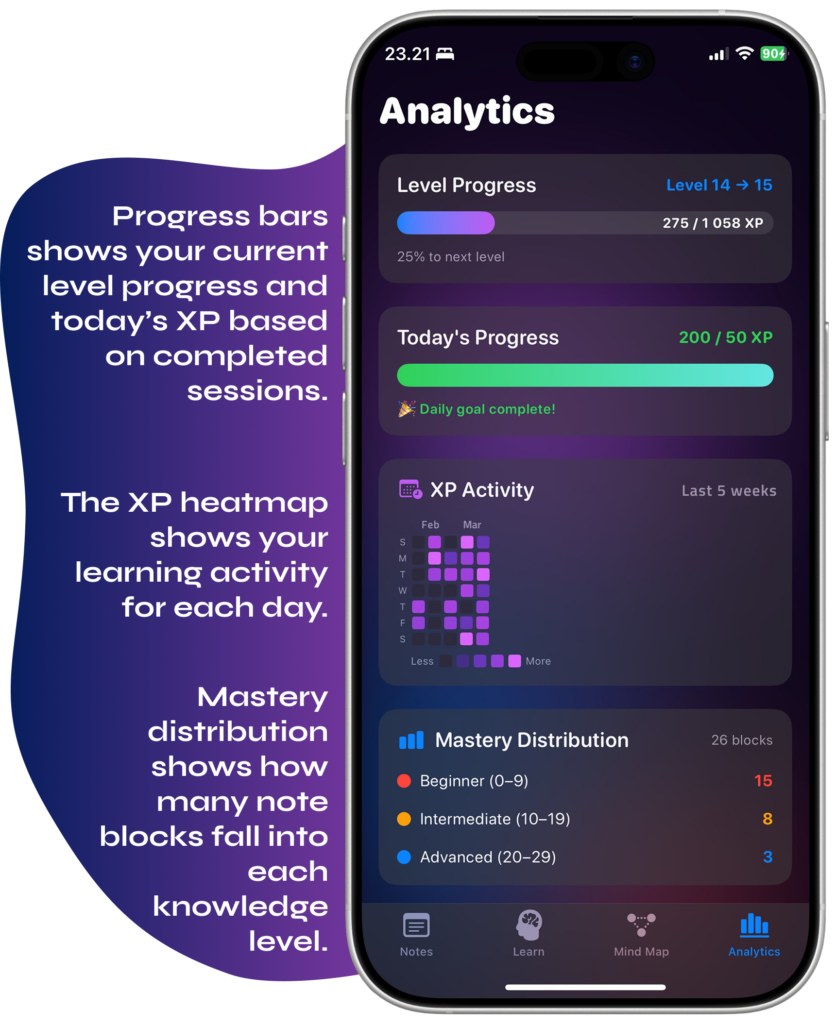
Beyond the map, Wisen tracks mastery at the level of individual content blocks. It knows which concepts you have consistently answered correctly in AI-powered study sessions, and which ones you keep getting wrong.
It also knows how long it has been since you reviewed something, and therefore how likely you are to still retain it.
For content that doesn’t need active study, the Echo system takes a gentler approach. Rather than scheduling quizzes, it resurfaces notes at appropriate intervals — a quiet reminder that something exists. As a result, the note you saved three months ago about a useful framework reappears when it might actually be relevant. Nothing you have captured permanently disappears.
Additionally, the analytics view gives you a clear picture of your learning over time. It includes an XP heatmap, mastery distribution across your notes, weak-spot identification, and daily goal tracking. This is not decorative data — it tells you exactly where your understanding is solid and where it is still thin.
Who This Is For
Wisen is not a student app, although students will find it immediately useful. It is, instead, for anyone who captures information and wants to actually use it.
- Professionals who read, research, and attend meetings — and need those insights to surface when relevant, not disappear into a folder
- Students with growing libraries of lecture notes, textbook summaries, and research that standard apps cannot help them study from
- Self-directed learners building knowledge across many domains — history, science, language, design — who have never had a system that connects it all
- Anyone frustrated with static notes apps — who captures ideas consistently but gets almost no long-term value from what they have written
The common experience Wisen is built for is very specific. You have notes. Good ones, probably. More than you can easily browse.
And yet you have almost no idea what connects to what, or how to turn any of it into something you actually know and remember. That is the problem Wisen solves. Not by changing how you take notes, but by doing something meaningful with them once you have them.
Your best ideas are already in your notes. Wisen is the system that makes them visible — and makes sure you never forget them.
Leave a Reply